Create a marketplace listing
A listing is what buyers see. This article covers creating one from an existing course.
Before you start
You need the Admin role and a course that is ready to sell. Marketplace-listed courses stay owned by you.
Step 1 — Open Marketplace
Open Content → Marketplace and switch to My listings. Click New listing to open the drawer.
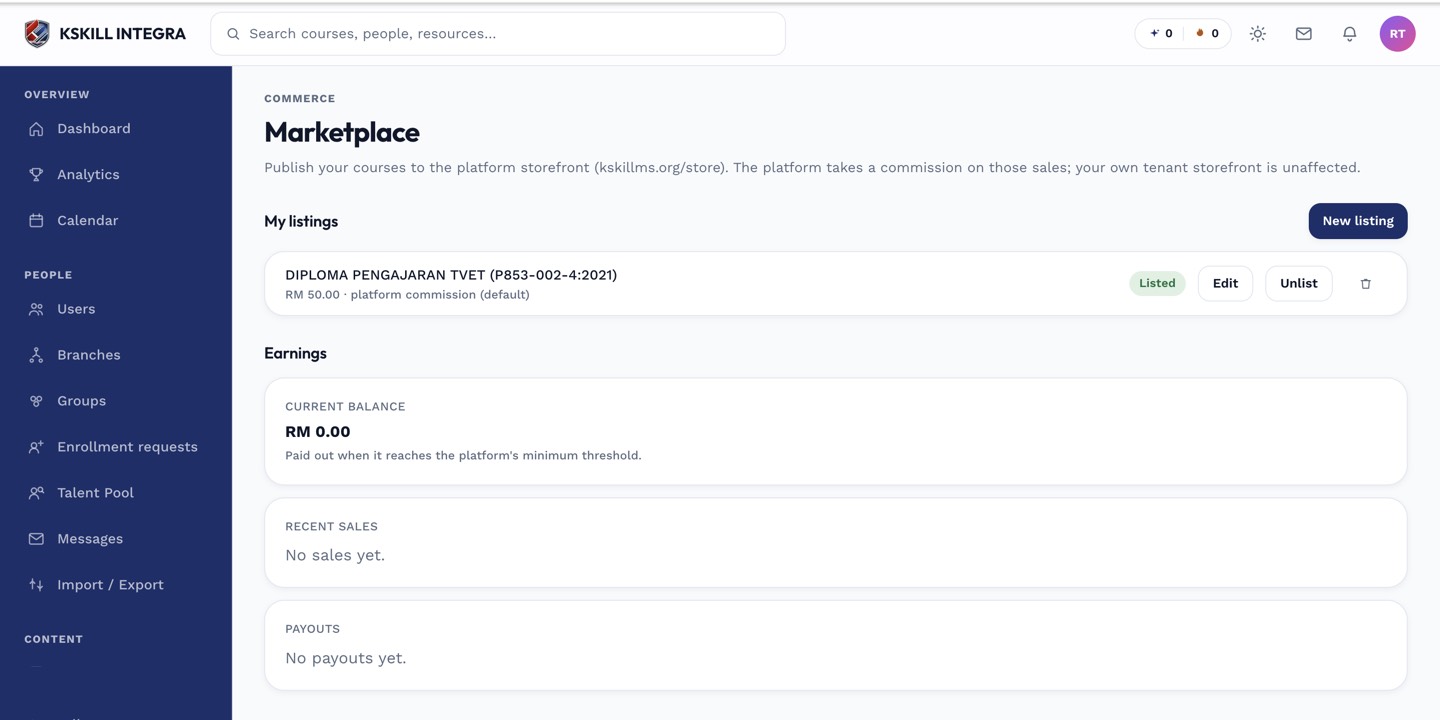
The marketplace is the shared shelf every seller tenant lists into.
Step 2 — Fill the listing drawer
Pick the source course, write a short sales blurb (the marketplace card copy), and upload a hero image. Set the price and (if you sell in multiple currencies) each currency's price. Choose the payout method. Save as draft to keep tuning; publish to make it visible.
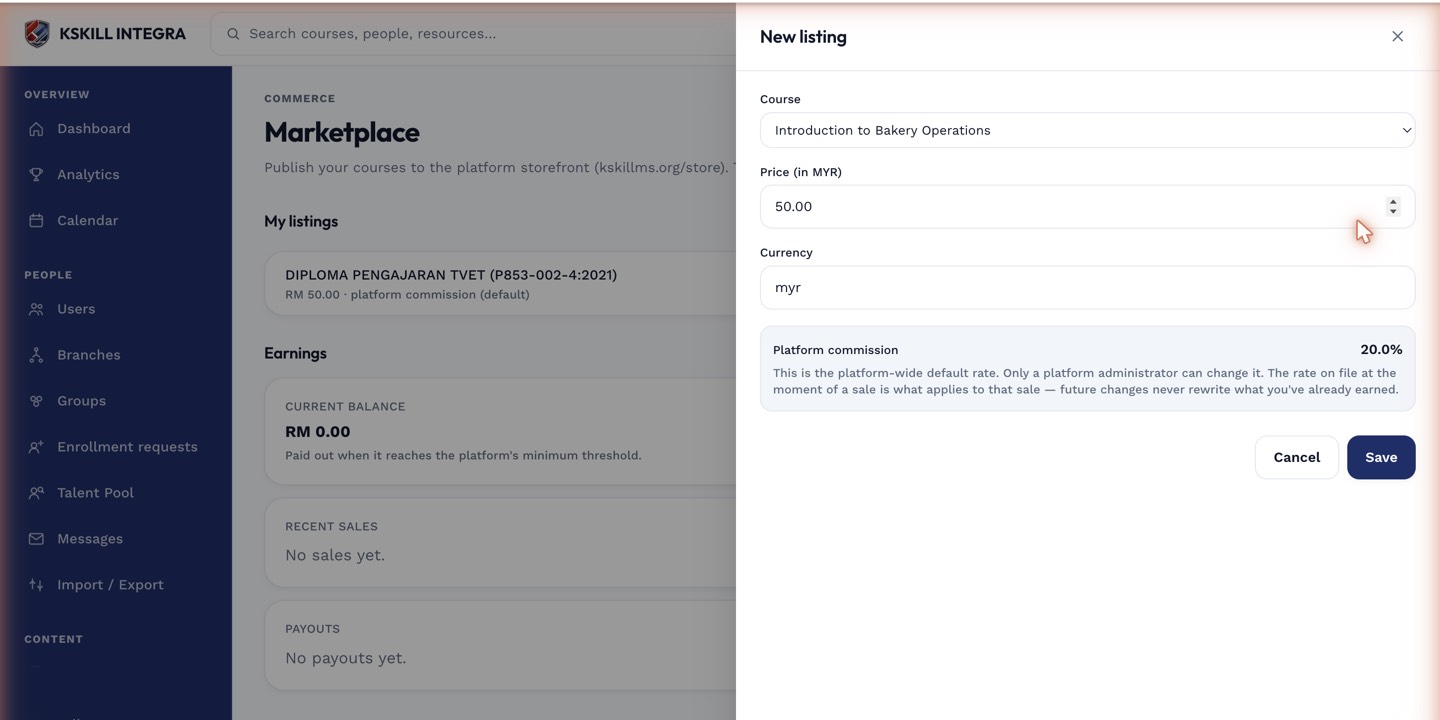
The listing drawer collects the price, payout method and courseware assignments for a new listing.
Step 3 — Preview and publish
The Preview tab shows exactly what a buyer sees. Check the copy, imagery and price feel right. Publish when ready. The listing appears in every buyer's marketplace view within seconds.
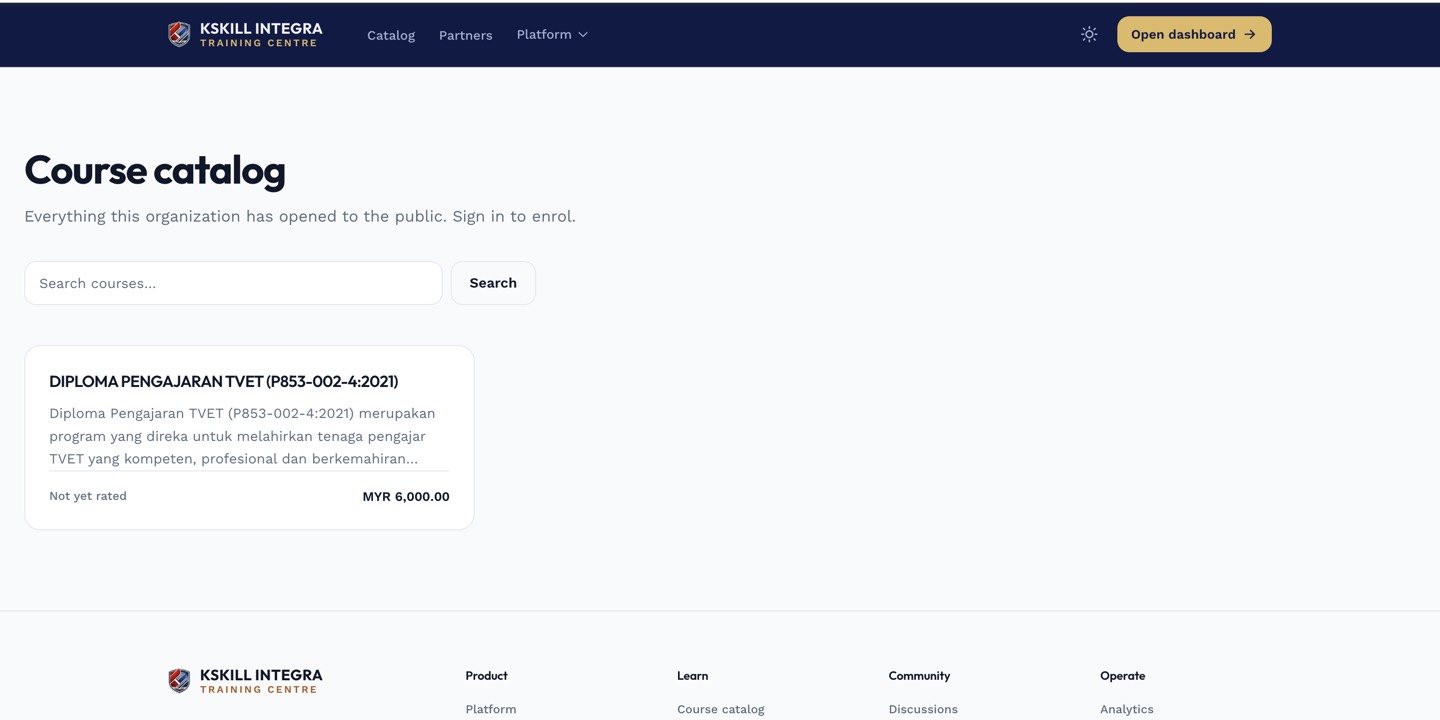
The catalog is the learner-facing shelf of everything a learner is allowed to self-enrol into.
Notes
- Editing the source course updates for every existing licence — buyers get the latest version automatically.
- Unpublishing a listing hides it from new buyers but does not revoke existing licences.