Talent Pool basics
The Talent Pool is the one place to hunt for people by capability. This article covers the basics of searching and reading a match card.
Before you start
You need the Admin role. The pool searches every user on your tenant; branch scoping applies for branch admins.
Step 1 — Open the Talent Pool
Open People → Talent Pool. The default view is a role-based search — pick a role and the pool ranks every user by how well they match. Each result card shows the match percentage, holder skills and skill gaps.
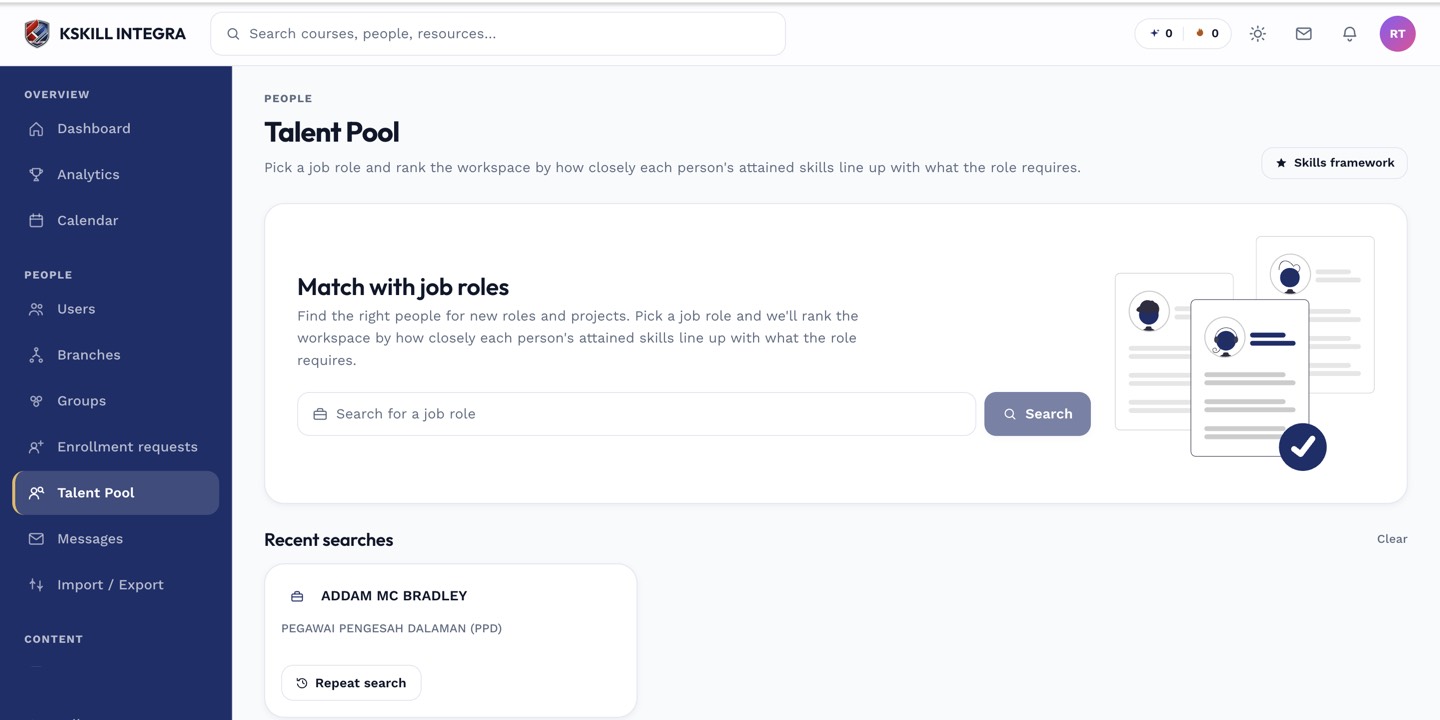
The Talent Pool is the one place to hunt for people by capability.
Step 2 — Switch to skill-based search
Toggle to Search by skill at the top to filter by one specific skill instead of a role. This is useful when you need someone with a niche capability that no named role covers. Combine with the level filter to find only Experts.
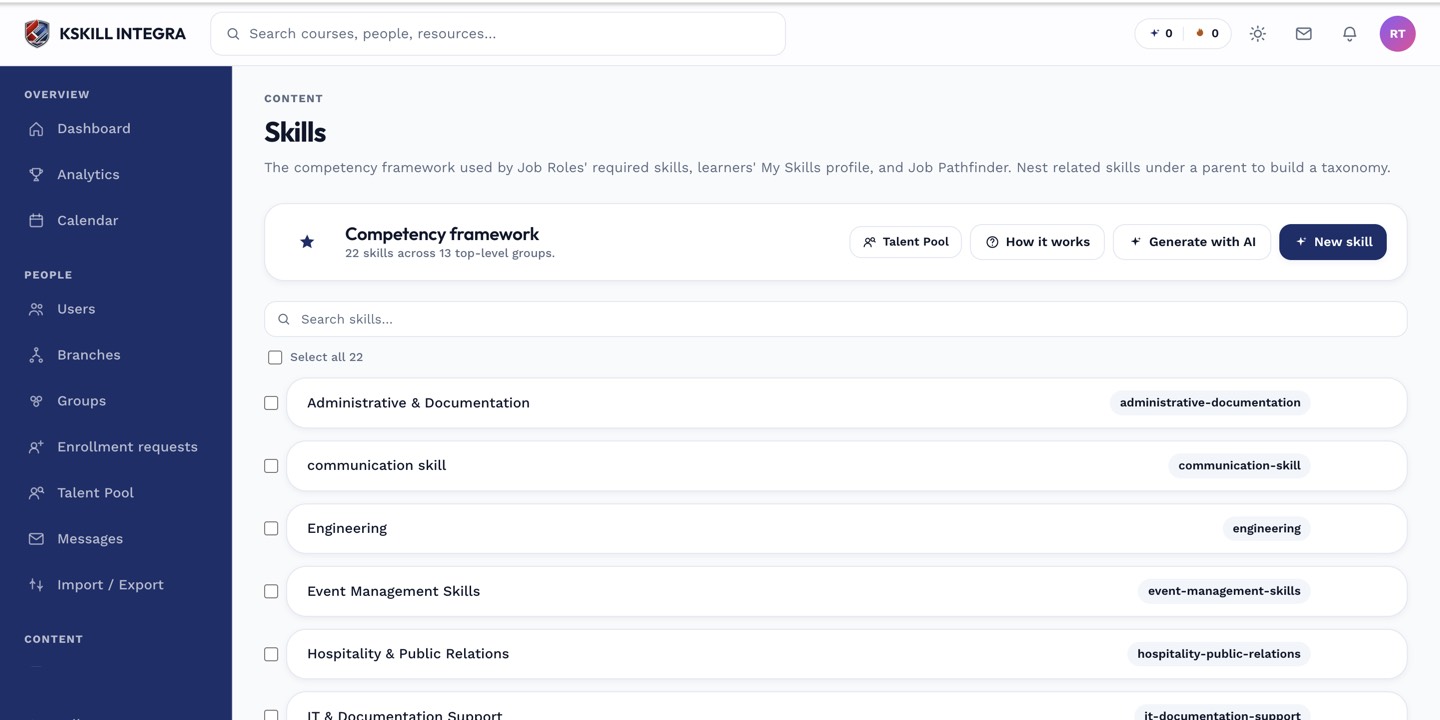
The Skills manager is the source of truth for every skill your tenant tracks.
Step 3 — Save and share a search
Every search state is captured in the URL, so you can bookmark it or paste it into a message. The pool also keeps a Recents list in localStorage so you can flip back to your last few searches without retyping.
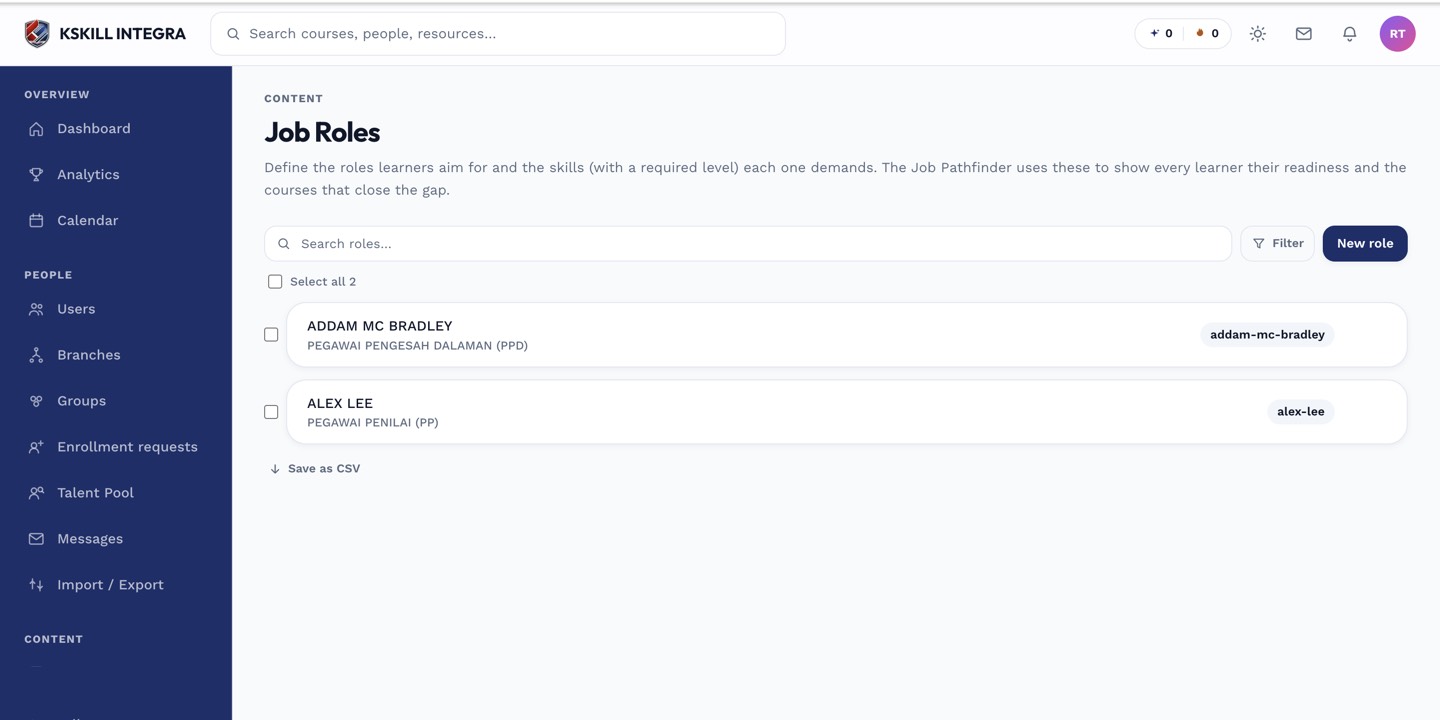
Job roles let you name a target skill mix once and reuse it everywhere.
Notes
- Match maths reuses the Pathfinder scoring — role holders always land at 100%.
- Upgrade Requests live under a separate tab on the same page.